

Integration • website chats inside the same inbox
Webchat Integration (Website Chats in Your Unified Inbox)
See Unified Inbox →
Typical go-live: 2 -5 Days
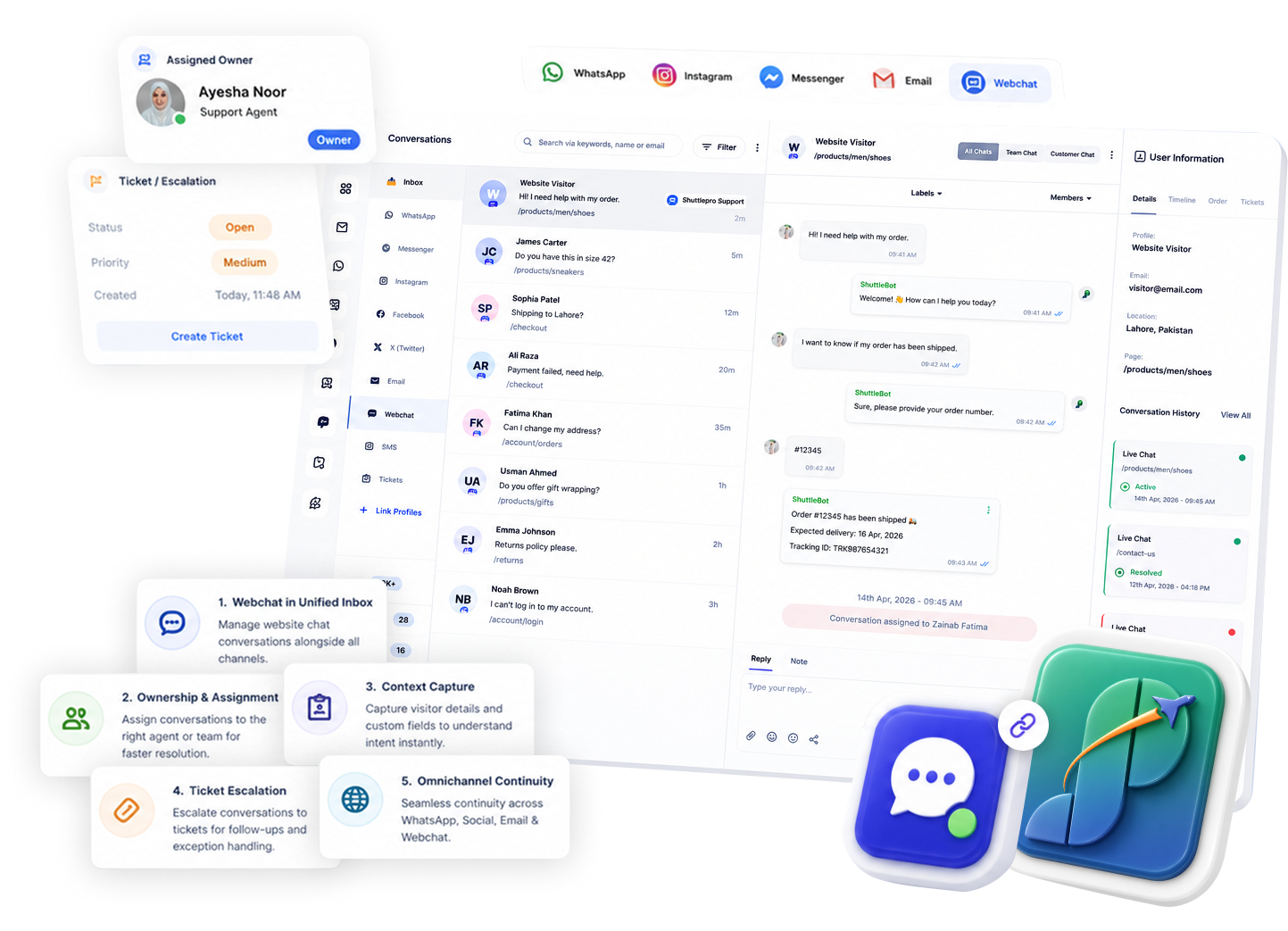
Why it matters
✓ Leads get missed when webchat lives in a separate tool
✓ Agents duplicate work across webchat and WhatsApp
✓ Follow-ups aren’t tracked when chats end without ownership
Outcome: Unifying webchat keeps one pipeline from Question → Resolution.
How it works
1
Add ShuttlePro webchat
Place webchat on your website (one simple embed).
2
Route chats into the unified inbox
Web chats appear alongside WhatsApp and social DMs.
3
Assign ownership + collaborate
Use assignments and internal notes for clean handoffs.
4
Convert exceptions into tickets
Track follow-ups and complaints with ticket ownership.
5
Expand into WhatsApp-first workflows
Move complex follow-ups into WhatsApp + tickets as needed.
Related: Unified inbox • Ticketing • WhatsApp Business API
Key Features
Webchat as part of the same operational workflow
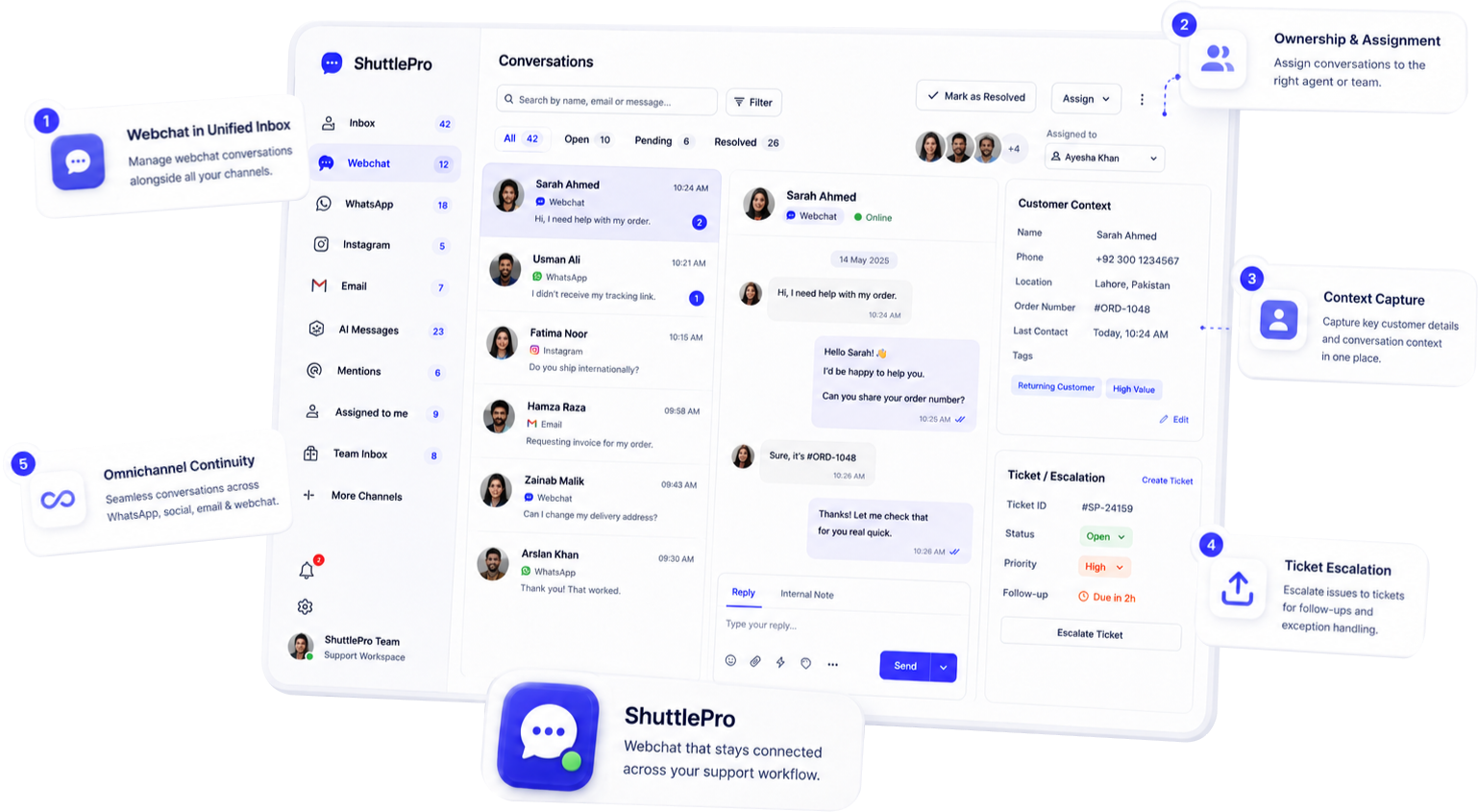
✓ Webchat conversations inside the unified inbox
✓ Ownership and assignment
✓ Context capture (basic details) [fields if available]
✓ Ticket escalation for follow-ups and exceptions
✓ Omnichannel continuity (WhatsApp/social/email)
Use cases (Ecommerce Support)
Refund/escalation threads
“Price / size / availability” routed to the right owner.
Delivery timeline queries
Captured with context and handled consistently.
Proof conversations
Requests captured and ticketed for follow-up.
Complaint follow-ups
Kept accountable with tickets + ownership.
Use cases (Ecommerce Support)
Tickets + accountability
Webchat exceptions become tickets with tracked follow-ups.
WhatsApp-first expansion
Designed to expand into WhatsApp-first support workflows.
One workflow for ops
Support + ops follow-ups stay inside one operating layer.
FAQs
What does ShuttlePro Webchat Integration do?
ShuttlePro Webchat Integration allows website visitors to start conversations directly from the business website. Instead of using webchat as a separate support tool, ShuttlePro connects those conversations with the main customer support workflow.
Visitors can choose available options such as live conversation with an agent, WhatsApp redirection, chatbot-based support, or complaint generation depending on what the business enables. This helps teams manage website visitors, customer questions, and support requests from one connected system.
How does live conversation with an agent work in ShuttlePro Webchat?
When a visitor selects live conversation with an agent, the conversation is redirected into ShuttlePro’s Unified Inbox. From there, support agents can receive, manage, and respond to the website visitor like any other customer conversation.
This helps businesses avoid losing website inquiries and gives the team proper ownership, assignment, internal notes, and follow-up visibility. Managers can also decide how these webchat conversations should be routed between agents or teams.
Can managers enable a chatbot on ShuttlePro Webchat?
Yes. If the manager wants, a chatbot can be enabled on the webchat live conversation flow. This allows the business to handle common website queries automatically before an agent becomes involved.
For example, the chatbot can help with FAQs, product questions, delivery information, complaint guidance, or basic support options. If the visitor still needs human help, the conversation can continue with an agent through ShuttlePro’s Shared Inbox workflow.
Can ShuttlePro Webchat redirect visitors to WhatsApp?
Yes. ShuttlePro Webchat can include an option to redirect website visitors to WhatsApp. This is useful for Pakistan retail and eCommerce businesses where many customers prefer to continue conversations on WhatsApp after visiting the website.
By connecting webchat with WhatsApp CRM and WhatsApp Business API, businesses can give customers a familiar communication channel while still keeping support organized inside ShuttlePro.
Can website visitors generate complaints through ShuttlePro Webchat?
Yes. If the manager enables the complaint option, website visitors can generate a complaint directly from the webchat interface. This is useful for customers who need help with delivery issues, damaged products, returns, refund requests, payment concerns, or order-related problems.
Once the complaint is submitted, the case can be managed through ShuttlePro’s Ticketing workflow. This helps the support team track the complaint with ownership, status, internal comments, and follow-up history instead of handling it as an unstructured website message.
How does ShuttlePro Webchat help managers control website support?
ShuttlePro Webchat gives managers control over which options appear to website visitors. Managers can decide whether to enable live agent conversation, chatbot support, WhatsApp redirection, or complaint generation based on the business workflow.
When webchat is connected with Agent Performance and Audit Trail, managers can also review how website conversations and complaints are handled. This gives better visibility into website support activity, agent follow-ups, and customer issues coming from the website.