Products
ShuttlePro CRM Features
Solutions
WhatsApp Solutions
Choose Your ShuttlePro Edition
Learn & Explore
Guide • High-intent buyer question
This guide helps ecommerce teams decide between the App and the API—especially if you need a shared inbox, automation, routing, templates, and integrations.
See WhatApp CRM →
Typical go-live: 2 -5 Days
Best for: Pakistan ecommerce teams
No hype • ops-first
Good For
✓ 1 – 2 people replying from a phone
✓ Basic business profile and quick replies
✓ Simple day-to-day usage with low volume
Works when support is small and informal.
Good For Teams
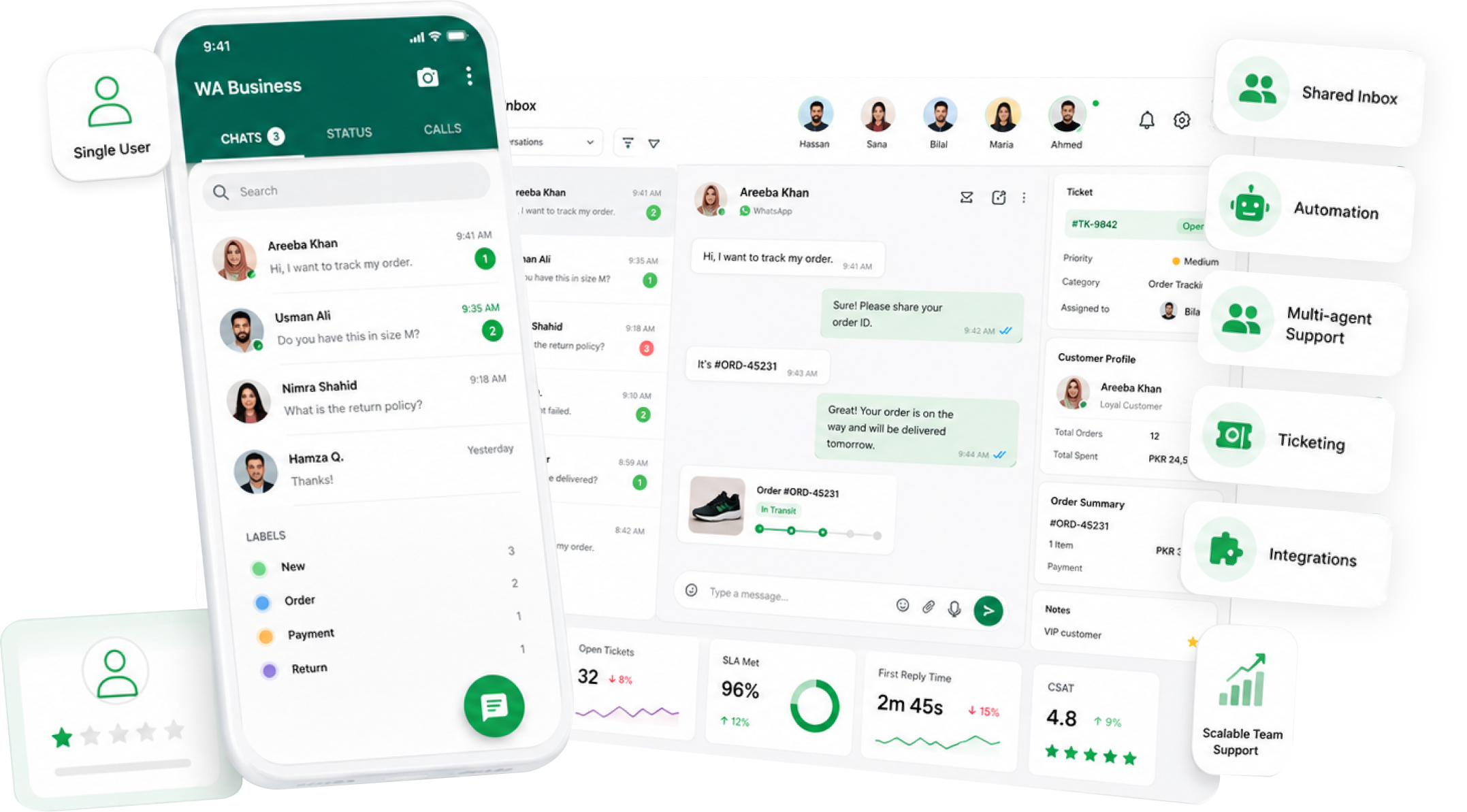
✓ Team shared inbox (multiple agents, one number)
✓ Routing & assignment with ownership and handoffs
✓ Automation (AI bots, interactive flows)
✓ Templates for outbound messages (where applicable)
✓ Integrations (CRM, Shopify, OMSOrder Management System (OMS) | Limited Availability, couriers)
Built for operational support teams.
✓ Shared inbox setup (teams) — see Shared inbox
✓ Buttons/lists for structured inputs — see Interactive bots
✓ Automation for repetitive intents — see AI chatbot
Do multiple agents need to reply from one WhatsApp number?
This usually requires an API-based team inbox.
Do you need assignment/ownership and shift handoffs?
Ownership reduces missed follow-ups and duplicate replies.
Do you want automation (order status, COD, FAQs)?
Automation is typically built on top of the API.
Do you need to send templates/campaigns (where applicable)?
Template messaging is usually tied to API workflows.
Do you need integrations (Shopify/OMS/couriers) for support context?
Context reduces WISMO and speeds up complaint resolution.
Rule of thumb: If you answered “yes” to #1 or #3, you usually need the WhatsApp Business API.
Need a quick recommendation? Chat on WhatsApp and share your team size + top 5 support queries.
Related: Ticketing • Audit trail • agent KPIs
✓ Sale days → message spikes require team routing + automation
✓ COD confirmation → structured workflows reduce disputes
✓ Order status → API + integrations can reduce repetitive load
✓ Complaint handling → Tickets + audit trails improve accountability
1
Decide App vs API using the checklist
If you need team ownership or automation, plan for the API.
2
If API: plan your shared inbox setup and top workflows
Start WhatsApp-first. Add more channels later if needed.
3
Start with 2–3 intents
Common starters: order status, COD confirmation, complaint intake.
4
Go live, then expand
Add campaigns, integrations, and additional channels after the core workflow is stable.
Depends on WhatsApp setup + integrations
Typical go-live: 2–5 days
Not reliably for shared ownership and routing. Teams typically need an API-based shared inbox setup.
Usually yes for template messaging workflows (where applicable).
It’s more structured than the App, but it enables team workflows, automation, and integrations.
Yes—many teams start WhatsApp-first and later add Instagram/Facebook/email into the same workflow.
If you have multiple agents, shift handoffs, or repetitive support volume, it’s usually time.
Chat on WhatsApp and share your team size + top queries—we’ll recommend the simplest setup.