

KPI dashboards for WhatsApp-first support operations
Agent Performance: KPIs, Workload, and QA Visibility
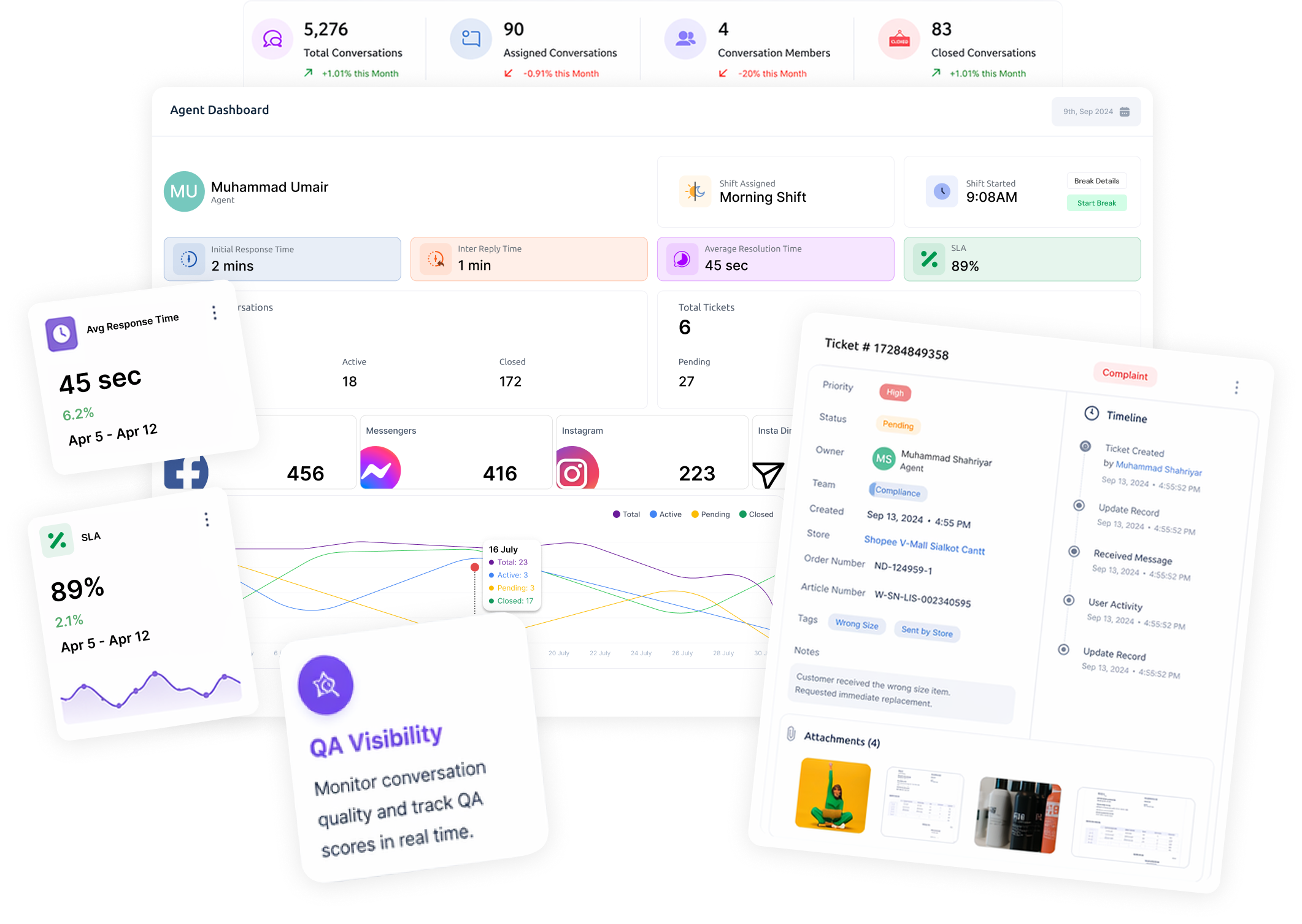
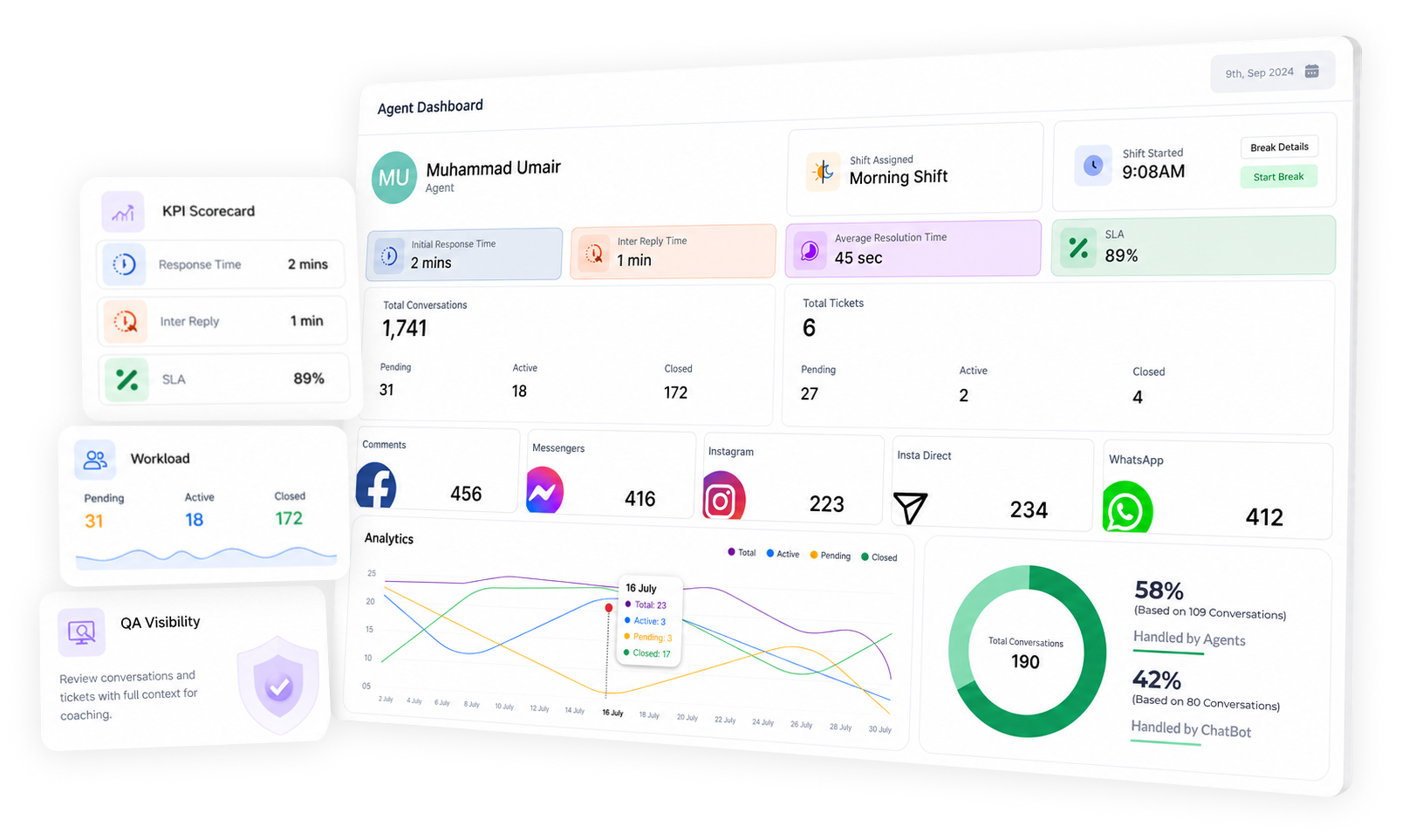
Track agent workload and service quality with KPI dashboards and scorecards tied to real inbox + ticket workflows—so coaching improves, QA is consistent, and accountability is clear.
ShuttlePro helps support leaders track agent performance with KPI dashboards and scorecards tied to real inbox and ticket workflows—so quality improves and accountability is clear.
Support ops first: dashboards are designed for staffing, coaching, QA reviews, and escalation accountability—not vanity metrics.
Why it Matters
When performance isn’t measurable, coaching becomes guesswork and accountability breaks—especially in WhatsApp-first support.
How it Works
Centralize work in the shared inbox and ticketing workflow
Start WhatsApp-first and add other channels as needed.
Define what “good handling” means ( KPIs/scorecards)
Set measurable expectations aligned to your support playbooks.
Track workload and outcomes across agent
Visibility into conversations + tickets to support staffing and ownership.
Review conversations/tickets with context for QA coaching
See what happened, when, and who changed what.
Improve consistency with measurable feedback loops
Use trend views to coach proactively—especially during sale-day spikes.
Key Features
What you get
• Agent dashboards and scorecards
• Workload visibility across conversations and tickets
• Trend views to support coaching and QA
• Audit trail support for accountability and review
Metrics depend on your workflow configuration.
Use Cases
Pakistan Ecommerce
Practical ways teams use KPI visibility to improve service quality and reduce chaos.
Sale-day staffing
See workload spikes and redistribute ownership across queues.
Coaching
Identify repeated handling gaps and train consistently.
QA Review
Audit what happened on escalations and complaints with context.
Multi Store Teams
Compare workload across queues/brands (where configured) .
What makes ShuttlePro different
Not reporting for reporting’s sake—performance visibility connected to real operational work.
FAQs
How does ShuttlePro Agent Performance help support managers monitor team workload?
ShuttlePro Agent Performance helps managers see how support work is distributed across agents, queues, conversations, and tickets. Managers can review how many customer queries each agent has handled, how many are still pending, and how many have been resolved.
This visibility helps support leaders identify overloaded agents, inactive queues, delayed follow-ups, and workload spikes during campaigns, sale days, or high-volume support periods. Instead of relying on manual updates, managers can monitor daily support activity from one system and take action where needed.
What kind of KPIs can support teams track in ShuttlePro?
ShuttlePro allows managers to define and track KPIs according to their team’s support process. These KPIs can include check-in time, check-out time, break time, response time, initial response time, average resolution time, inter-reply time, ticket handling, and conversation activity.
Once KPI rules are configured, managers can generate reports to review agent performance, workload, attendance behavior, response quality, and follow-up efficiency. This makes performance tracking more practical because each business can decide which metrics matter most for its support operations.
How does Agent Performance connect with ShuttlePro’s Unified Inbox and Ticketing?
Agent Performance is connected with real activity inside ShuttlePro’s Unified Inbox and Ticketing workflows. This means managers can review agent performance based on actual conversations, assigned queries, complaint tickets, pending work, resolved cases, and follow-up activity.
When conversations are assigned through the inbox or when complaint tickets are created, managers can see who handled the issue, how long it took to respond, whether the ticket was resolved, and whether any follow-up is still pending. This connects agent activity directly with measurable support outcomes.
How does ShuttlePro help supervisors improve QA and coaching?
ShuttlePro helps supervisors review support quality by connecting conversations, tickets, agent activity, KPI reports, and audit history in one workflow. Managers can check response behavior, resolution time, ticket handling, internal comments, escalations, and follow-up quality.
This gives supervisors real examples for coaching instead of giving general feedback. For example, if an agent has slow initial response time, delayed inter-reply time, or too many pending tickets, the manager can identify the issue and guide the agent using actual support data.
How can Agent Performance help during sale days or high-volume support periods?
During sale days, product launches, campaigns, or seasonal spikes, support teams often face sudden increases in messages, order status queries, complaints, and delivery issues. ShuttlePro Agent Performance helps managers monitor how many queries each agent is handling, how many are pending, and how many have been resolved.
Managers can use this visibility to redistribute conversations, review pending complaint tickets, track workload across queues, and identify agents who need support. This helps teams maintain faster responses and better follow-up control during high-pressure support periods.
How does ShuttlePro use Audit Trail with Agent Performance?
ShuttlePro’s Audit Trail supports Agent Performance by showing what happened during important support actions, ticket updates, handoffs, ownership changes, replies, internal comments, and escalations. Managers can also see activity such as who viewed a complaint ticket, who updated it, and how the issue moved through the support workflow.
When used together, Agent Performance and Audit Trail help teams improve accountability. Managers can understand who handled a conversation or ticket, what actions were taken, how long follow-ups took, and where coaching or process improvement is needed.
Want a WhatsApp-first support setup plan for your store?
Chat with us and we’ll map your channels, top intents (order status / COD / complaints), and handoff rules — then recommend the fastest rollout.